
• Portfolio
  • Writing
  • About

Christine Ko

  • Portfolio
  • Writing
  • About

Red Routes 101

London-England-street-red-bus-road-city_1600x900.jpg

I've never been to London England before. Sure, there's a London in Ontario, but it's certainly not as large, or glamorous (though it is very quaint!). When I picture London, I see a mass of people crowded in the Tube, or jam packed in their cars on their way to work. Interestingly, in London, there are roads called Red Routes, which have painted red lines on them that distinguish them as 'critical' roads that must be kept clear at all times in order for transport to function decently. You can think of them kind of like the main arteries in your body - crucial delivery paths that transport much needed resources throughout your body.

Applying the London example, user experience designers utilize something called the Red Route method when designing websites and applications. Rather than trying to accomplish everything, critical 'Red Routes' are identified, and delivered as the 'main arteries of the website'. They represent the key functions that the user, and the business owner want to accomplish.

So why do designers use Red Routes exactly? Here are some reasons:

Reason #1: A Red Route approach allows you to avoid the problem of trying to understand everything that everyone wants to do, by focusing on the most important scenarios enacted by the key Personas. Just like in London, Red Routes established for websites and applications allow the design team to keep focus on the critical user tasks at hand.

Reason #2: A Red Route approach involves creating a map of the user's path to a goal, which in hand shows us where to look for roadblocks along the way. Gaps and issues can be quickly located to specific Red Routes, whereby they can then be resolved.

Reason #3:  if you don't focus on red routes, you run of the risk of causing issues with the site's Information Architecture. Each page you add on to the website requires more navigation links, which leads to more 'noise' in the site's navigation, making it more difficult for users to find the content they need. Simply put, less is more. Crucial features only please :)

Reason #4, if you don't focus on red routes, site maintenance increases.

There are many ways you can identify the Red Routes of your application and website. For example, you can examine competitor sites, use a survey, identify frequent tasks, identify critical tasks, and ask users to pick their top 5 tasks. Essentially, when picking red routes, ensure that most or all of the people will be taking them, most or all of the time.

Case Example: Red Routes for a university website:

  • What subjects are available to study at the university?
  • How much is annual tuition for a domestic/international student?
  • Where is the location of the campus?
  • Are part-time studies an option?
  • What are the admission requirements for each program?

Importantly, people approach tasks differently based on the context of use. A student, professor, and school administrator will carry out tasks on a School website differently from each other. Thus, we have to understand the context. Context is built into tasks with user stories, which are based on a specific Persona.

For example, one red route on a Health application may be "Manage my eczema". Here is a user story of Anna. Anna says, "As someone with eczema, I want to track my skin condition on the computer so I can find out any specific periods of the day, month or year where my skin is most troubled".

Once you have your user stories, it's always a good idea to test them to ensure they are sound and accurate. Here are some questions you can ask to test your user story:

1. Is it really a red route?

2. Is it specific and measurable?

3. Does it describe a complete activity?

4. Does it describe what the user wants to do (not how it's done)?

So before designing any website or application, keep in mind what the red routes are that capture your users' key goals when using your app.


tags: user experience
Sunday 04.16.17
Posted by Christine Ko
Comments: 1
 

The Three Secrets of User-Centered Design

ux design.png

I read this wonderful little tale written by Dr. Davis Travis called: The Fable of the User-Centered Designer. It's a really quick read, so I was able to summarize the points quite succinctly. In a nutshell, here are the Three Secrets to User-Centered Design:

1. Early and continual focus on users and their tasks.

  • Identify the users of our systems and what they want to do with it. Create user profiles/personas and ensure the design team understands who they are designing for. No assumptions should be made; all knowledge utilized here derive from observations and research findings.
  • Conduct regular in-person site visits with customers to understand what motivates them (their goals), and the environment in which they use the product.
  • Develop red routes: critical tasks that people need to carry out as smoothly and quickly as possible. Developing red routes ensure less important functions don't clutter the interface.

2. Empirical measurement of user behaviour.

  • Conduct usability testing. Ask customers to carry out critical tasks on the application and to think aloud while doing so. Take on the role of 'apprentice' and ensure they understand we are here to watch how they navigate and experience the application, not to test them.
  • Measure usability effectiveness (how many people manage to complete red route successfully), efficiency (how long did it take for them to complete the task), and satisfaction (how do they feel about the design).

3. Iterative Design.

  • In the iterative design mindset, we want to put off writing code for as long as possible. Not that we're avoiding it, but rather, that we understand fixing or re-writing code to requirements is far more costly and time consuming than doing it right the first time around.
  • In iterative design, paper prototyping is an invaluable method to quickly sketch lots of designs, and test them. Design, test, re-design, and re-test. That is the iterative method. The best elements of each design are found, tested, and then applied; the goal being: refining the design to get it just right.
  • The goal of paper prototyping is to ensure we get the correct Information Architecture, so people can navigate the site and understand the terminology.
  • Electronic prototyping then helps us ensure we get the correct visual design of the application or website.
  • In an ideal world, we can conduct user testing for every iteration; however, in reality, try to involve users whenever important design decisions are going to be made.
tags: user experience
Thursday 03.19.15
Posted by Christine Ko
 

Let's talk dialogue boxes.

dialog box.jpg

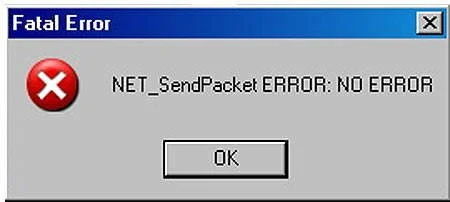
Dialogue boxes. We all hate them. They tell us we did something wrong. Or that the system has messed up in some way but that the computer is working to get the problem fixed. Or that something has been 'saved successfully'. Sometimes, they even tell us the world is ending.

Dialogue boxes make the user feel frustrated, as it interrupts their 'flow'. Often times, they are unnecessary, and only accomplish the task of making one feel incompetent, dumb, or worse yet, utterly and completely helplesss.

Thinking long and hard whether a dialogue box is truly needed, whether it really helps the user accomplish their goals, is an important step when designing applications. When doing so, please keep in mind that:

1. Asking questions is frustrating to the user. For example, asking, "are you sure?", causes the user to feel doubted by the machine, which is ludicrous! We should always feel smarter than the machine in front of us, we should feel they are working for us, not against us, and that they are making our lives easier, not more complicated.

2. Present the user with choices instead. This gives them empowerment to control what happens. If one of the choices is going to make permanent, drastic changes to an application, then it's definitely a good idea to present that information before the change is confirmed. Otherwise, it's likely not necessary, and considered a bother.


tags: user experience
Saturday 01.03.15
Posted by Christine Ko
 

© 2026 Christine Ko